Essential Salesforce Productivity Toolkit
Data generation, access analysis, hierarchy visualization & more — directly in your browser. Built for Salesforce developers and admins who want to work smarter.
Everything You Need, Right in Your Browser
Powerful Salesforce tools that integrate seamlessly into your workflow. No context switching, no app juggling.
Smart Search
Instant search across objects, fields, and records. Navigate your org faster than ever with keyboard shortcuts.
Metadata Tools
Explore object metadata, field dependencies, and data models without leaving your browser.
Access Analysis
Visualize permission sets, profiles, and field-level security. Debug access issues in seconds.
Org Insights
View org limits, user info, and session details at a glance. Stay informed about your environment.
Developer Tools
Query builder, record inspector, and SOQL debugging. Essential tools for every Salesforce dev.
Data Operations
Generate test data, bulk operations, and record management. Streamline your daily workflows.
Hierarchy Visualization
See record relationships and hierarchy trees. Understand your data structure visually.
Workflow Automation
Quick actions, bookmarks, and custom shortcuts. Automate repetitive tasks with ease.
Up and Running in 30 Seconds
No configuration, no setup wizards. Just install and go.
Install the Extension
Add SFOS to Chrome from the Web Store. It's completely free with no account required.
Log into Salesforce
Navigate to any Salesforce org. SFOS automatically activates and detects your environment.
Start Working Smarter
Access all tools from the extension popup. Search, analyze, and manage your org instantly.
See It in Action
A glimpse into the powerful features that make SFOS the go-to extension for Salesforce professionals.
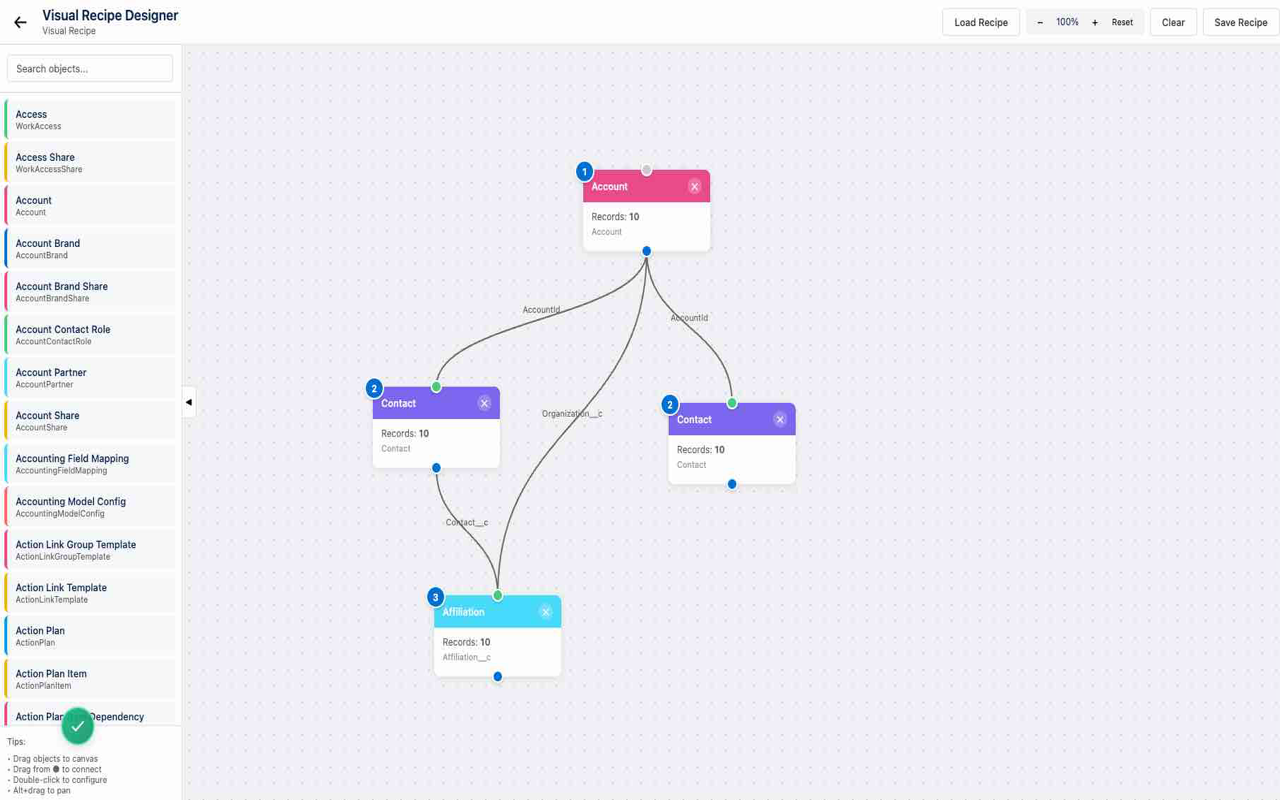
Visual Designer
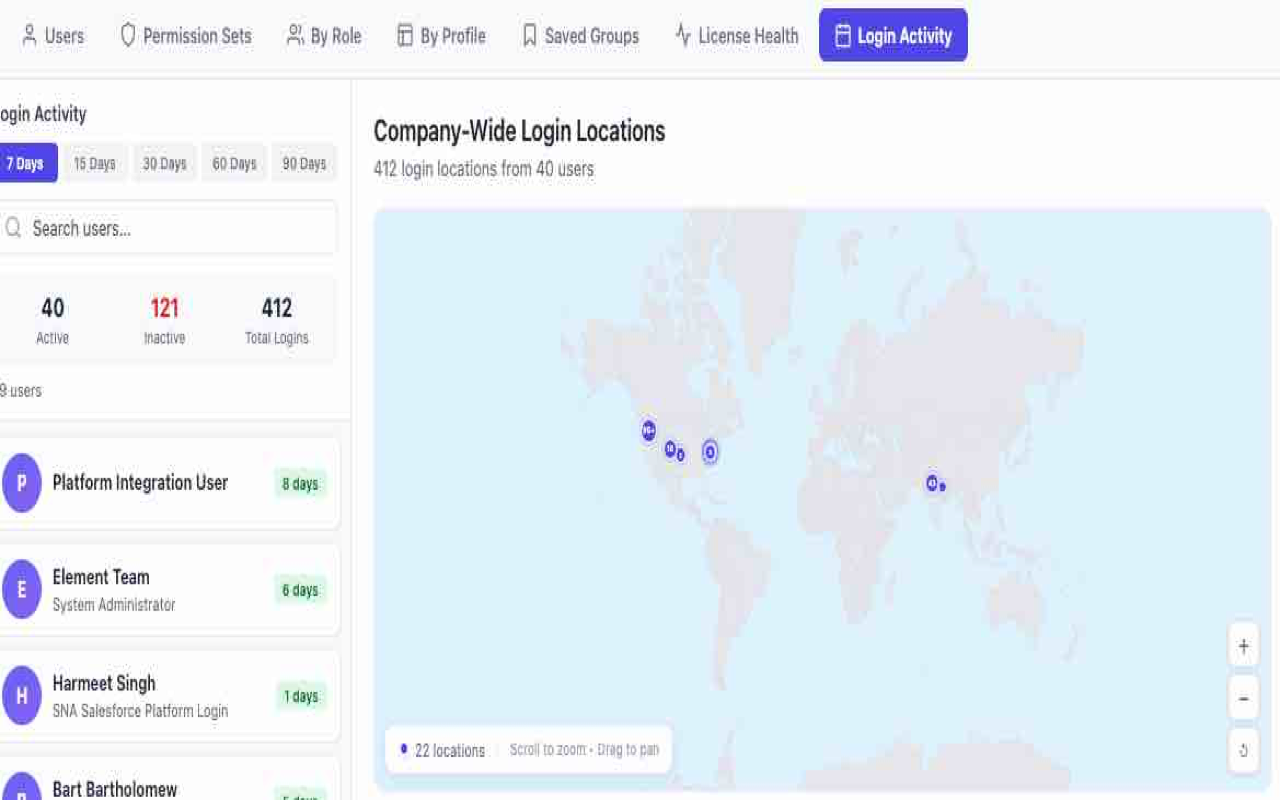
Login Activity
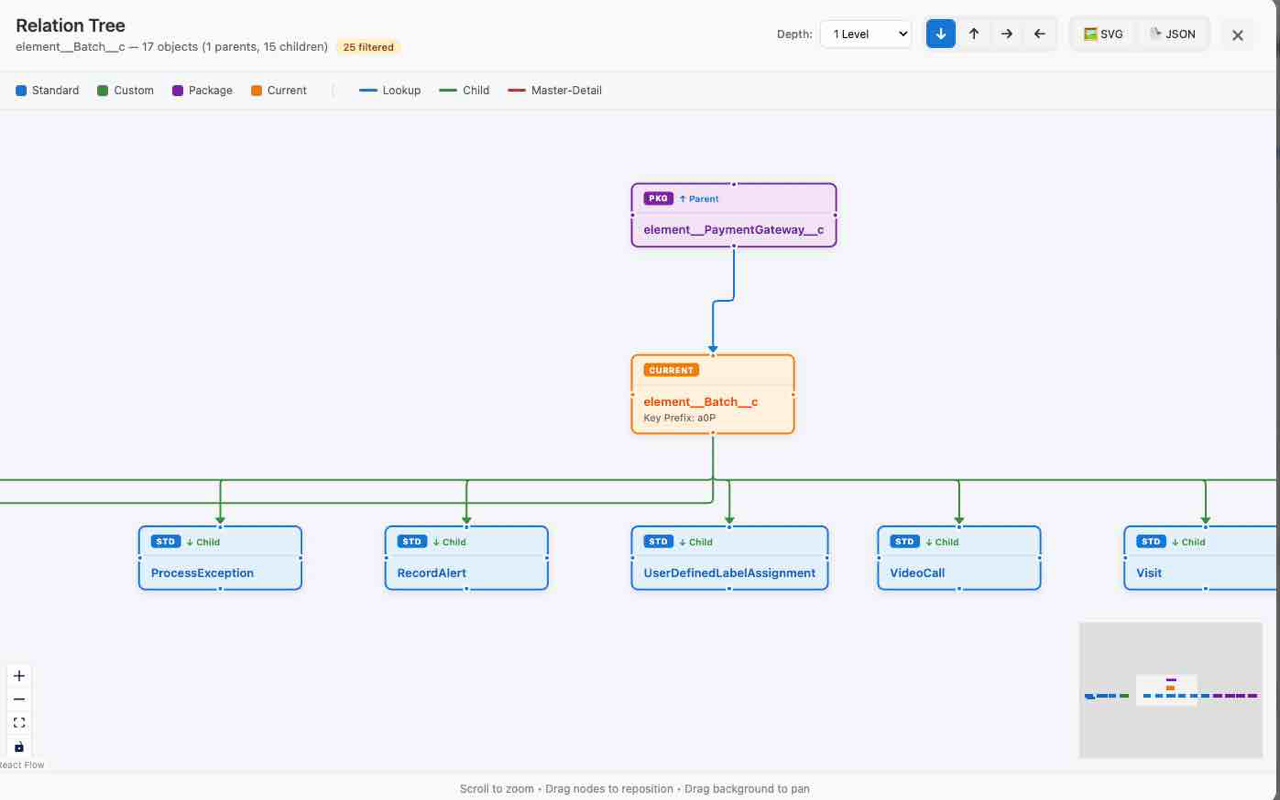
Relation Tree
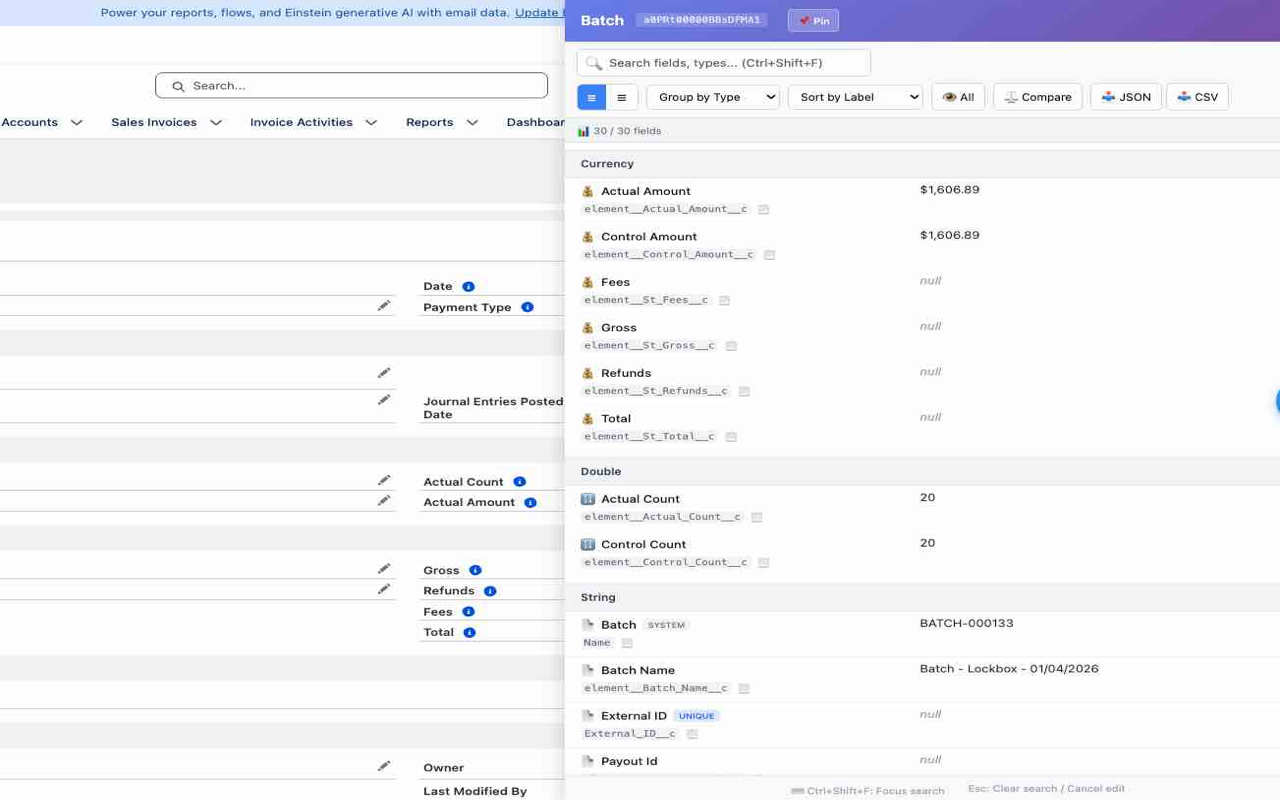
Record Fields

Quick Actions
Scroll horizontally to see more →
Works Where You Work
Compatible with all Chromium-based browsers and every Salesforce environment.
Supported Browsers
Salesforce Environments
SFOS runs entirely in your browser. Your data never leaves your machine or gets sent to external servers. All operations use Salesforce's native APIs with your existing session credentials.
Ready to Boost Your Salesforce Workflow?
Join thousands of Salesforce developers and admins who use SFOS every day. Install now and see the difference.
50+
Features
100%
Free Forever